
How does the File Storage Integration Work?
Overview:
Now that you've integrated your file storage system with Active Oversight, what's next? This article will walk you through what happens after you've set up your Integration and start completing Tasks directly through Active Oversight.
Viewing Your Integration:
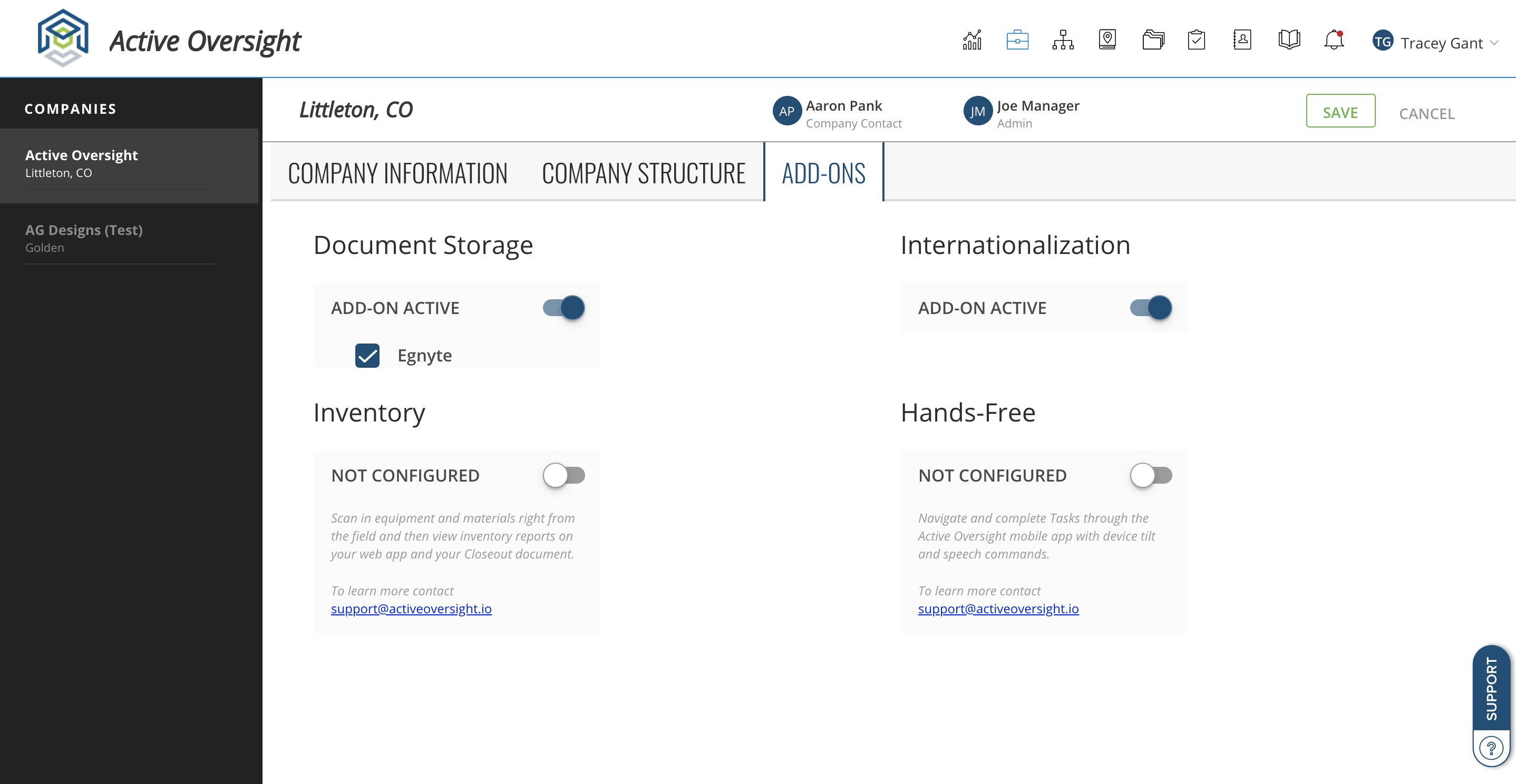
You can view your add-ons in Active Oversight through your Company page.
- Log in to Active Oversight via Web
- Access the Company icon at the top of your Active Oversight account
- Select "Add-Ons"
- Your document storage integration will show under Document Storage
Setting up Customers in Active Oversight:
Customers are pre-defined in your Active Oversight account through the Companies page. You will want to add customers and associate them to your Projects in order to account for this in the folder structure that will be created in your File Integration system.
- Log in to Active Oversight via Web
- Access the Company icon at the top of your Active Oversight account
- Select "Company Structure"
- Under Customer Setup, ender in a Customer Code and Customer Name

Once your customers are defined, you can easily associate them to a Project!
- Access or create a new Project
- In the Project edit page, select the customer dropdown and choose the customer for which this Project is being done for

NOTE: If your Project is for your company and is not being completed for a specific Customer, leave this blank.
Folder Structure:
Your files that are uploaded through Active Oversight will be added to your shared folder that you created when first setting up your Integration. Under this Folder, we have a pre-defined structure.
Projects with a Customer Associated: Your Company Name > Year > Customer > Site Name > Project Name > File Name
Projects with NO Customer Associated:Your Company Name > Year > Internal > Site Name > Project Name > File Name
Note: The year will be based on the date of the first upload. i.e. if a Project is completed in Active Oversight on Jan. 2021, but the first file upload occurred in Nov. 2020, the year would be 2020 within your file system.
Completing Projects on Behalf of Another Company:
One thing that is great about your File Storage System integration, is that no matter where you complete your work in Active Oversight, you will have your files! This means, that if you are using Active Oversight internally AND completing work for another Active Oversight customer, your files will still reside in your desired file storage system.
When you log in to Active Oversight and switch companies (so you are no longer in your internal Companies AO) and start uploading files, your folder structure will be just a bit different. It will look something like:
Your Company Name FOR Company Name (ie. the company you are working on behalf of) > Year > Customer/Internal > Site Name > Project Name > File Name
Deleting a File in Active Oversight:
When a file is deleted through Active Oversight, we will automatically create a deleted folder within your Project. This will hold all deleted Active Oversight files. Your folder structure would look like this:
Your Company Name > Year > Customer/Internal > Site Name > Project Name > Deleted > File Name
What Happens if I Make a Change in my File Storage System?
Your File system integration with Active Oversight is a one-way street. What this means, is only file uploads done directly through Active Oversight will be synced to your system. If there are any additional files added to your storage system, they will not be represented in your Active Oversight account unless you upload them there as well. This is why we recommend working directly through Active Oversight.
Do you have additional questions? Contact us at Support@activeoversight.io.
Comments
0 comments
Please sign in to leave a comment.