
Delays
December 2019
Overview
No more tracking down emails and one-off pieces of papers of the delays that you and your team encountered while on a Project. With Active Oversights, new Delays feature, you now have an easy way for field users to document and communicate information about events that affect work completion from the field.
How to submit Delays
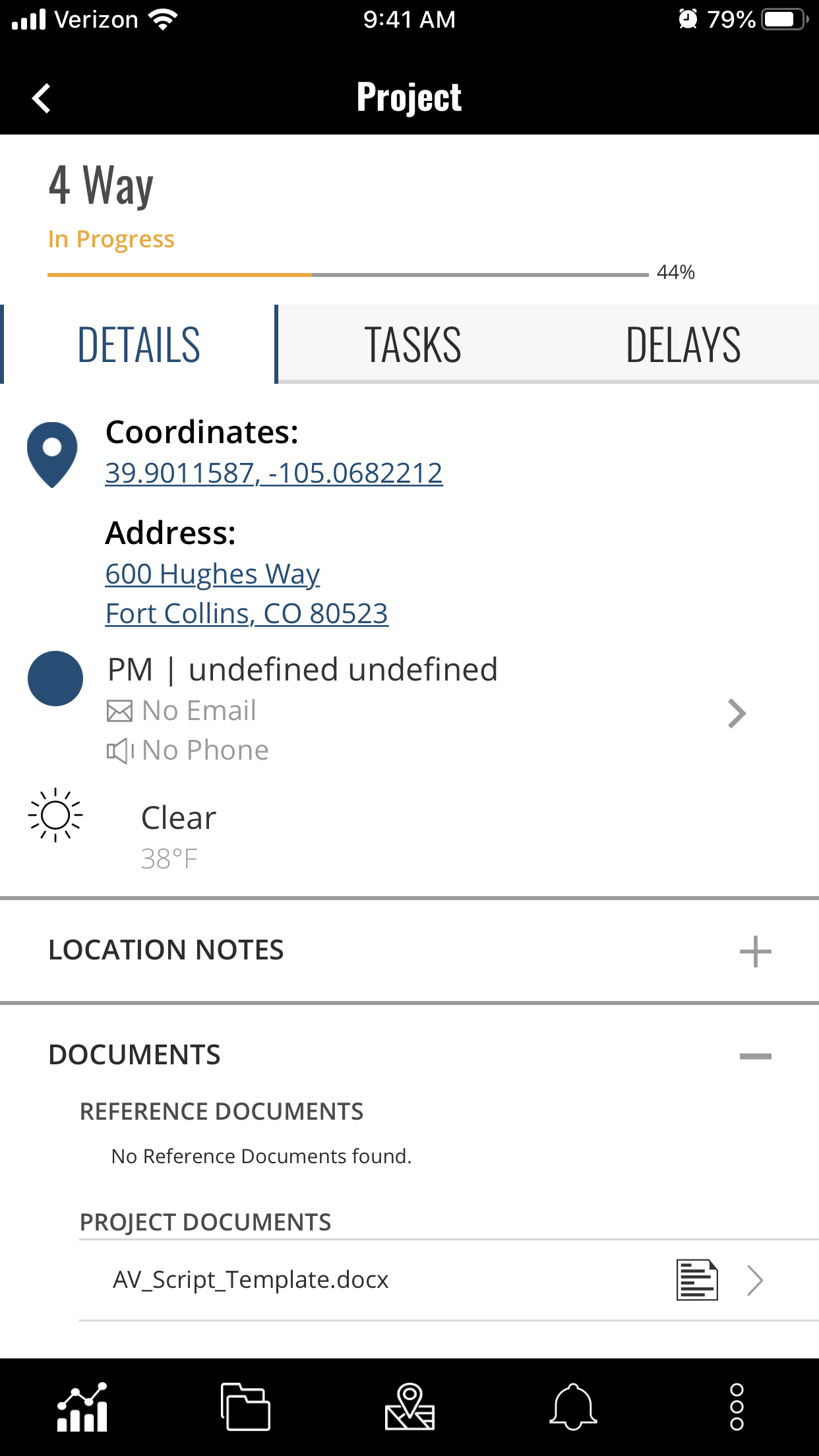
View Delays Tab on your Project
- Log in to the mobile device
- Navigate to your Project
- Select the Delays tab
Report your Delay
- View any previously reported Delays or select "Report A Delay" to submit a new one
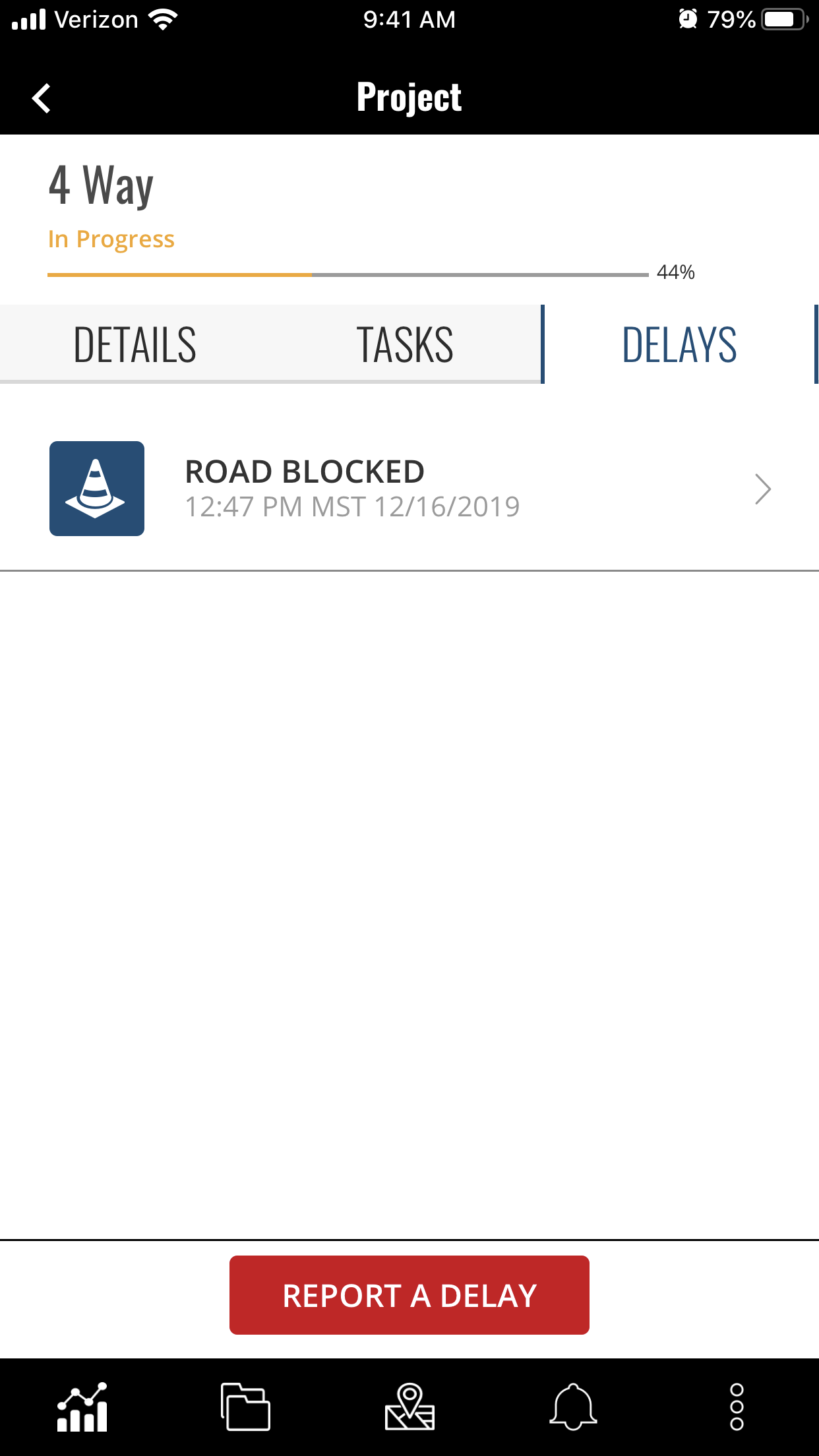
Select your Delay type
- Once you select "Report A Delay" you will land on the Delay type page
- Select the type of Delay that you are encountering

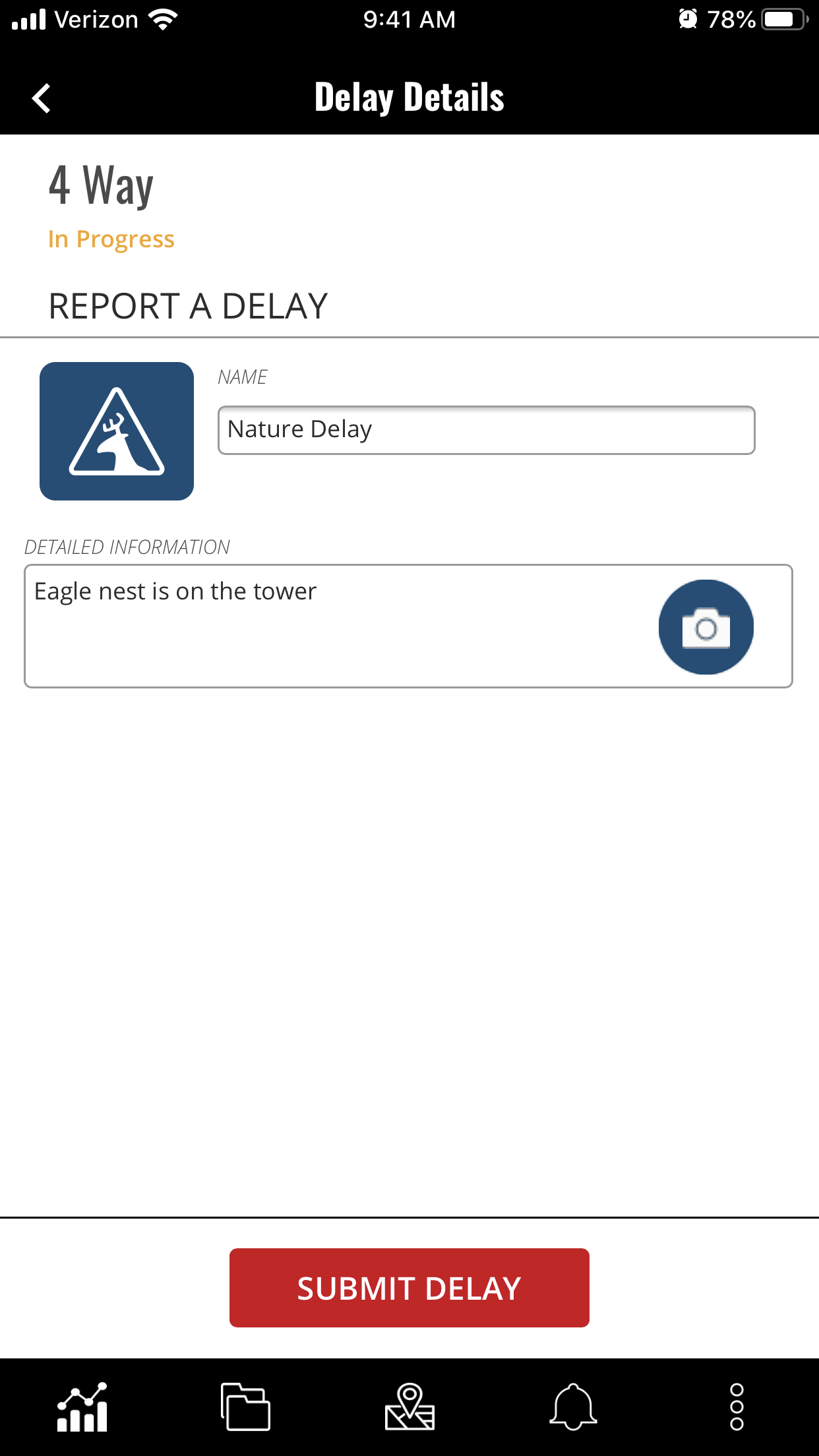
Fill in your Delay details
- Edit the name of your delay
- Add in details under the description
- Add up to 12 photos
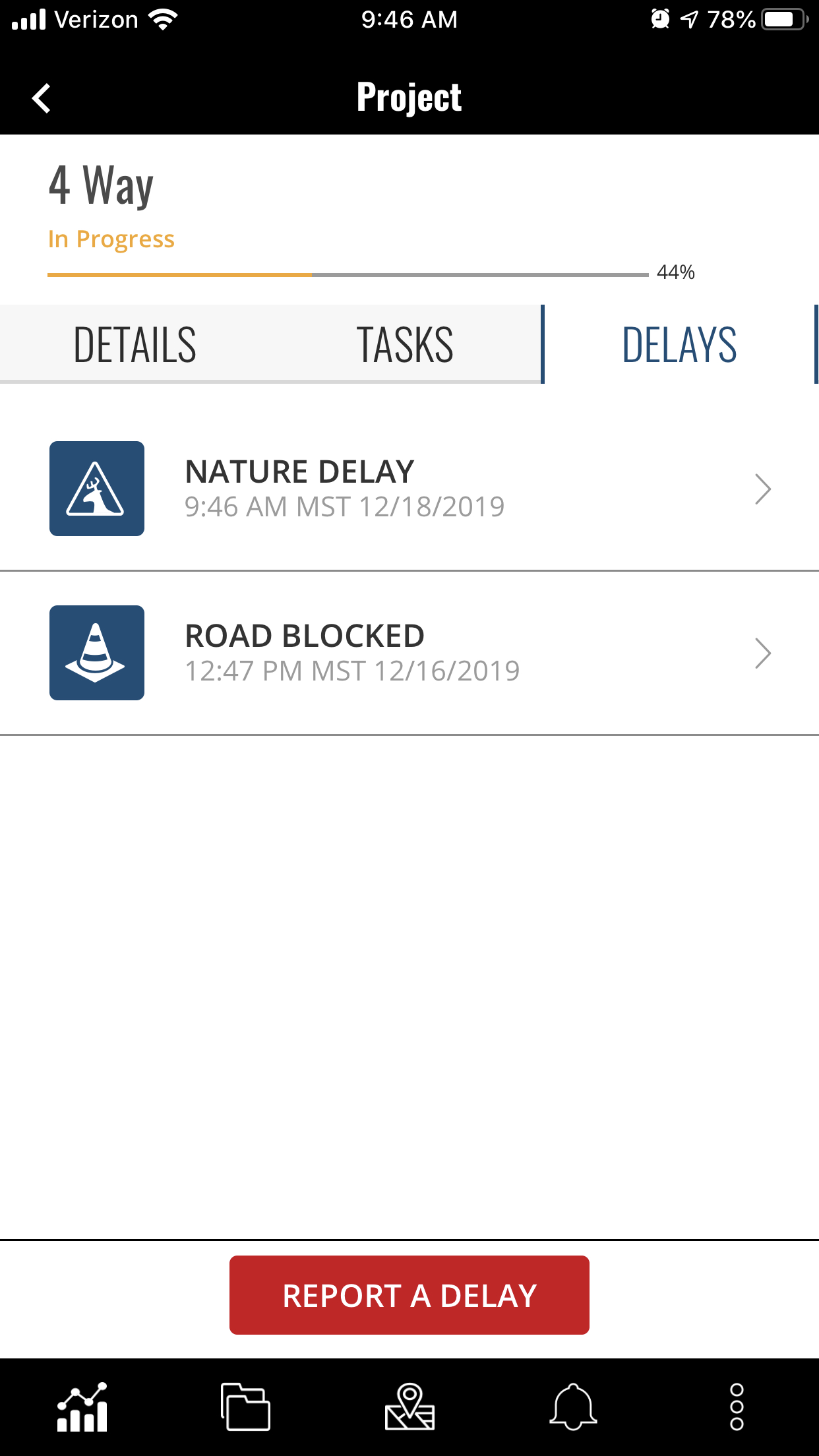
Submit your Delay
- Select "Submit Delay" when you are done
- You will be brought back to the Delays tab where the most recent Delay will appear at the top
Do you have additional questions? Contact us at activeoversight@finalze.zendesk.com.
Comments
0 comments
Please sign in to leave a comment.