
Project Summary and Closeout
December 2019
Overview
Generating Closeouts for multiple Projects at once should be simple! That's why we streamlined the Project Closeout collection process for multiple Closeouts across numerous Locations. See below to learn how it works.
Project Summary List
Access your Project Summary view
- Navigate to your Projects icon on Active Oversight web
- Your new default view will be the Project Summary view
- You will see a list of all of your Projects here
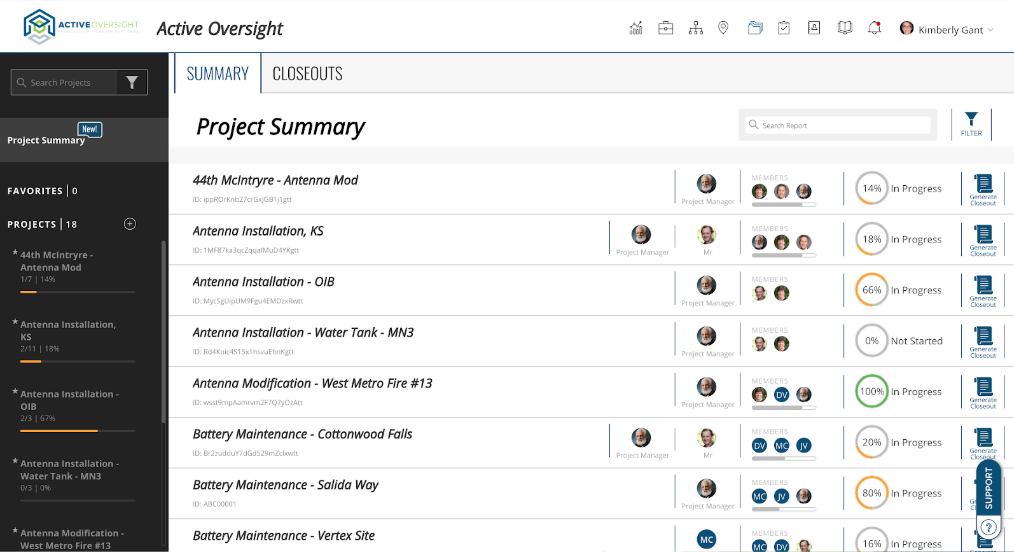
- To access a specific Project, simply select the Project line item
- Easily filter or search for Projects that you want to see

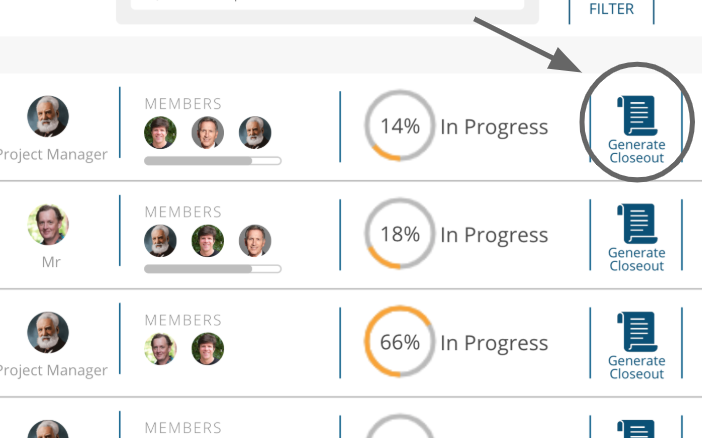
Generate Project level Closeouts
- Select "Generate Closeout" when you are ready!
View your Closeouts
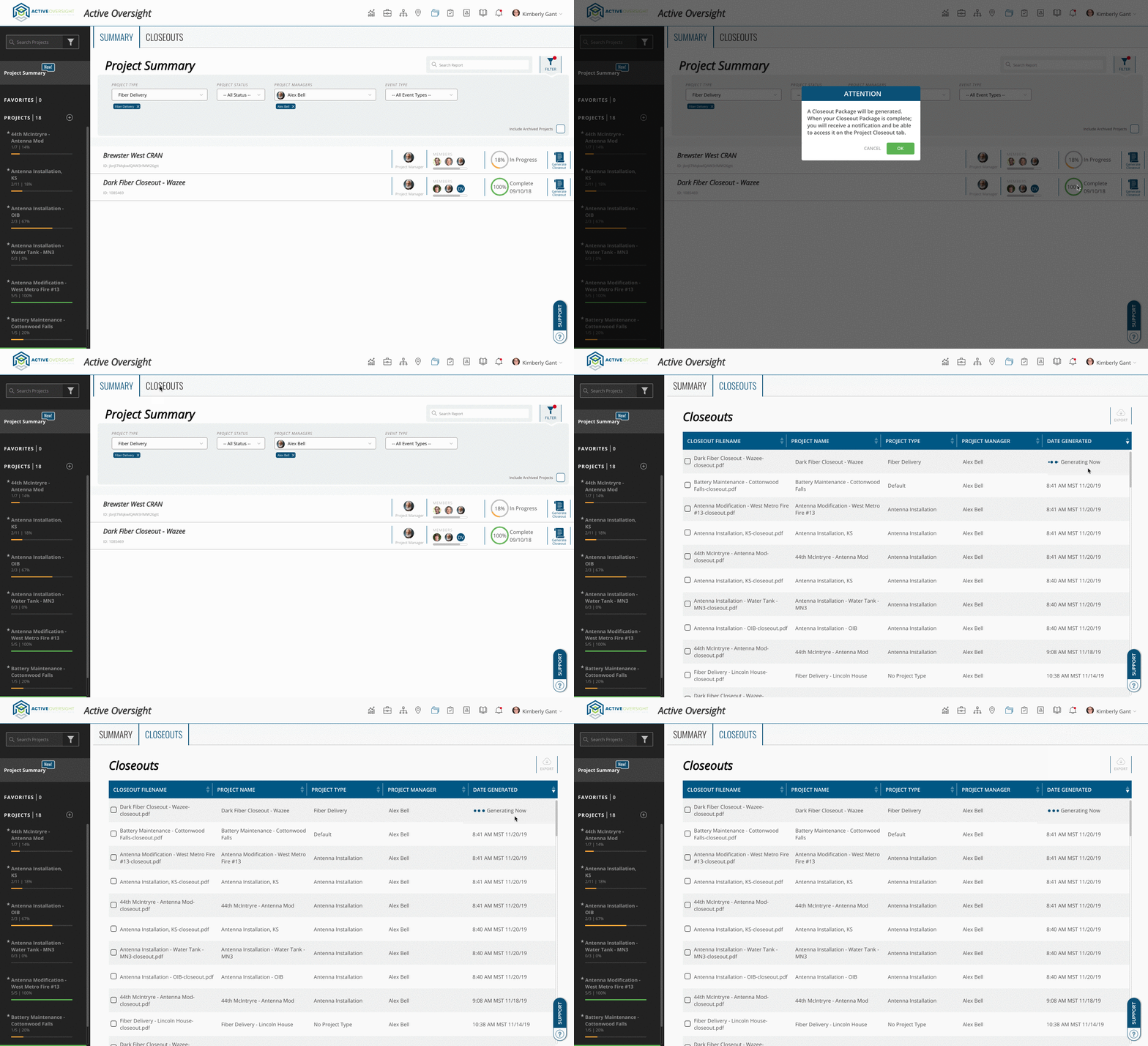
- Select the Closeout Tab on the same Project Summary view
- Here you will find ALL Closeouts

- You can select one or more Closeouts from the list and export them

- To view a Closeout preview, select the Closeout line
View your Closeout Progress
- After you've generated your Closeout, you can view its progress on the Closeout tab.
Do you have additional questions? Contact us at activeoversight@finalze.zendesk.com.
Comments
0 comments
Please sign in to leave a comment.