
Customize how you want to receive Active Oversight updates!
September 2019
Overview
If you’ve ever wanted to set your notification preferences yourself or see more meaningful subject lines, wait no longer!
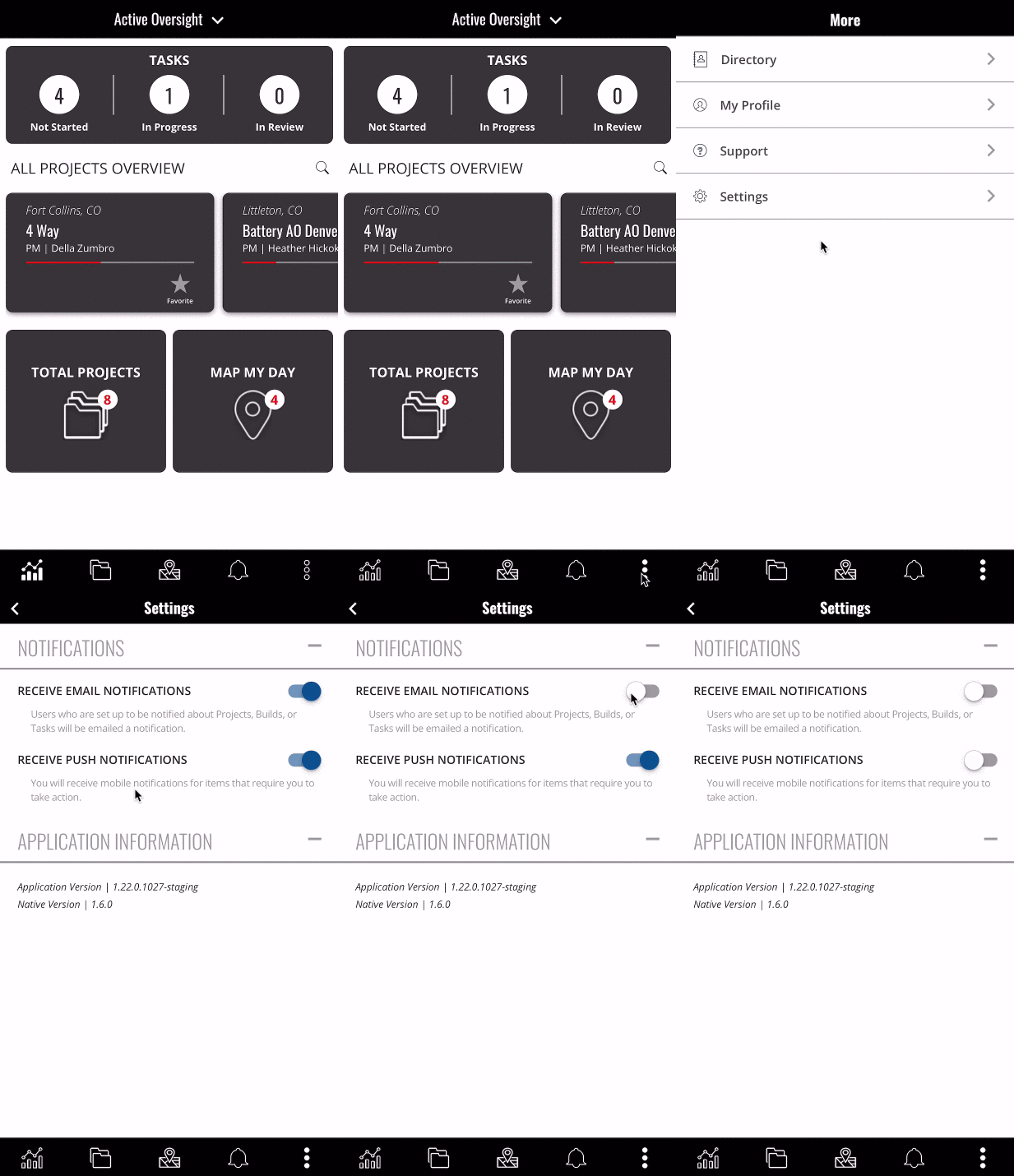
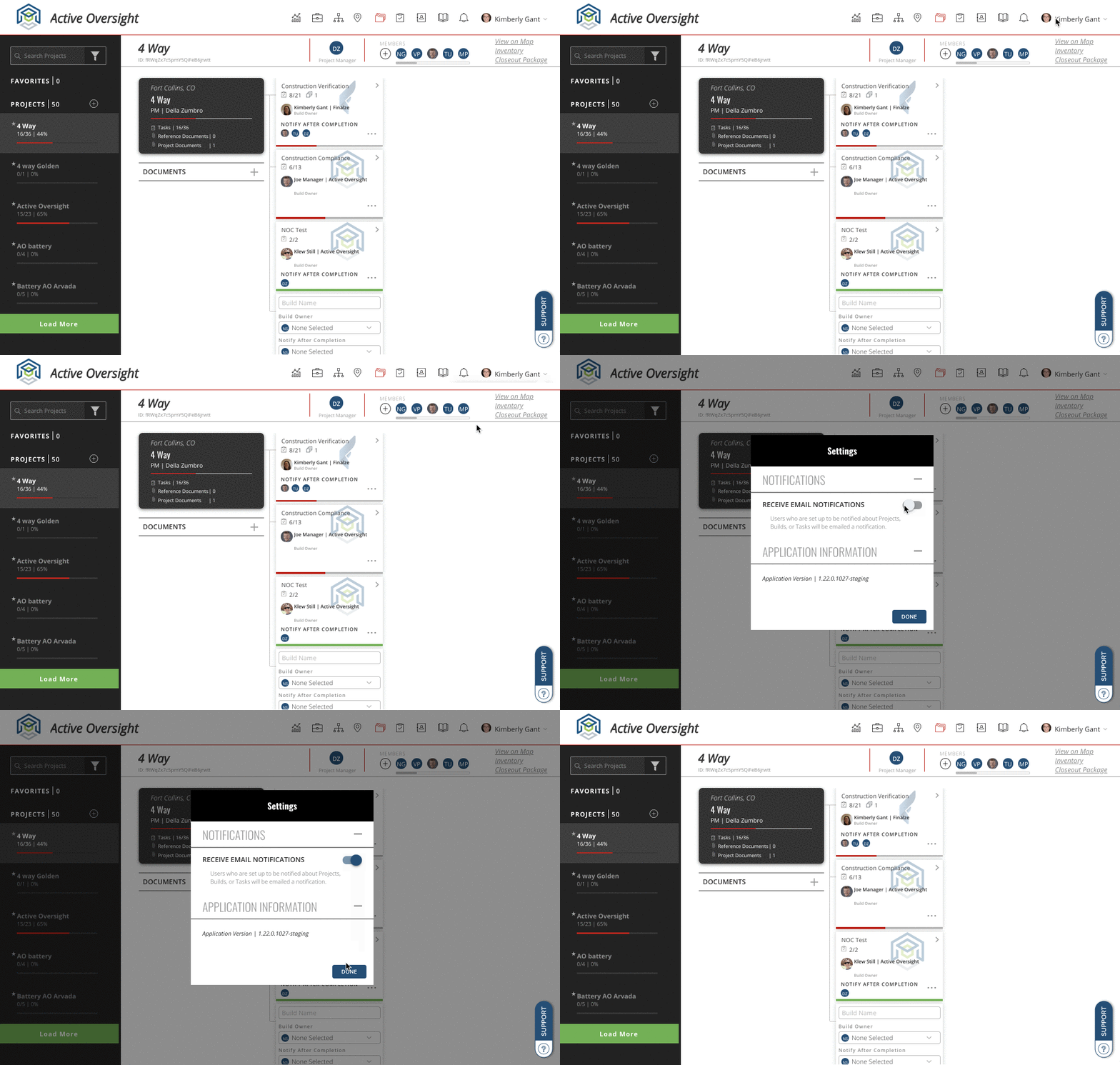
You can now easily set your notification preferences from the more menu (…) on mobile or your settings on the web. See how it works below.
Customize how you want to get notified
Setting your preferences on mobile:
- From your bottom navigation on mobile, select the More icon
- Select Settings
- Use the toggle to switch on and off both email notifications and push notifications
Setting your preferences on the web:
- Select your name in the top right corner once logged in to Active Oversight
- Select Settings
- Use the toggle to switch on and off email notifications
Do you have additional questions? Contact us at support@activeoversight.io
Comments
0 comments
Please sign in to leave a comment.