
Active Oversight Forms
July 2019
Overview
This will be short and sweet: a Form is a new type of Completion Step. Once a Form has been added as a Completion Step to a Task, any user assigned to do the work can simply view the Form on the web or on their mobile device, fill it out, and submit it. It's just that simple!
Login to https://ao.finalze.com or via the Active Oversight App
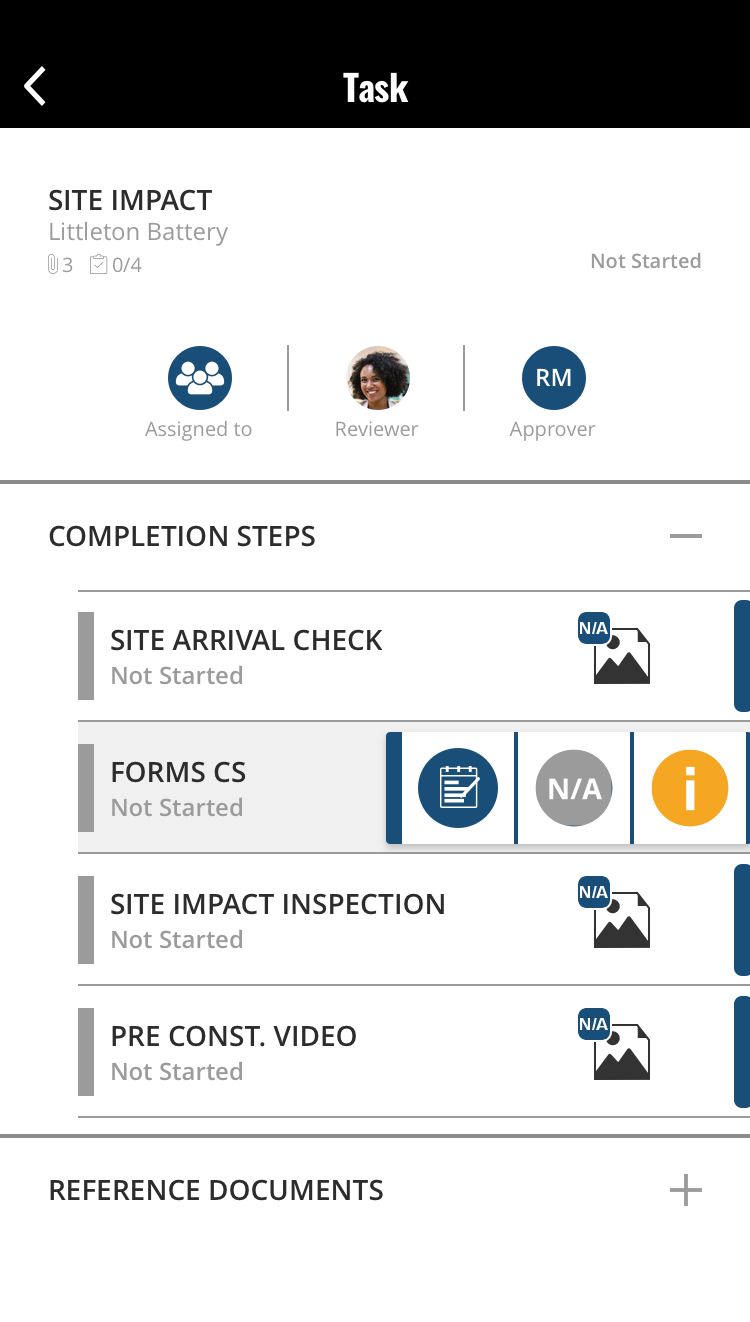
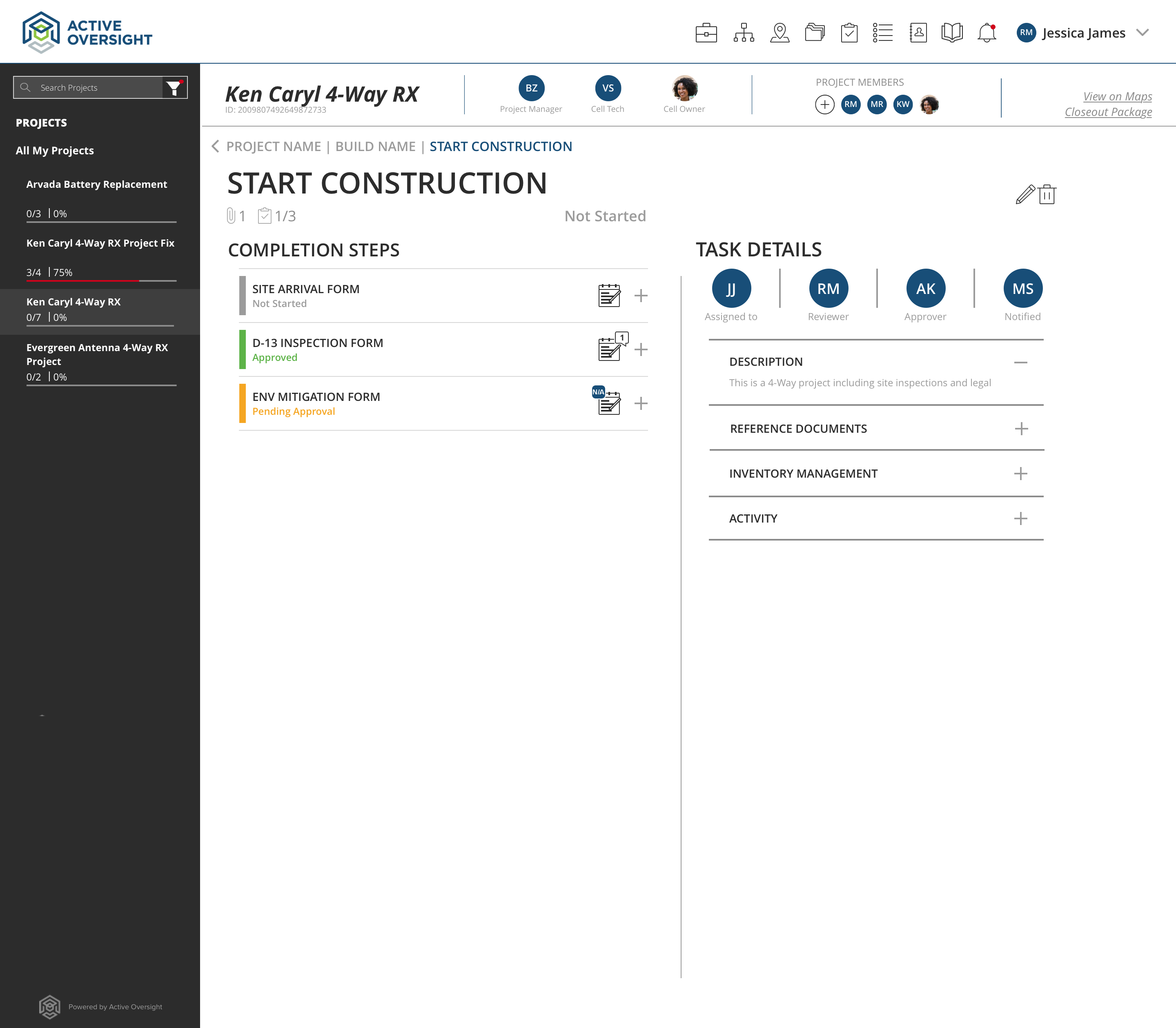
Navigate through your Project
- Click on the Project that the Form is associated with
- Click on the Build
- Click on the Task
- Click on the Form Completion Step
View on Mobile: View on Web Application:
Complete your Form
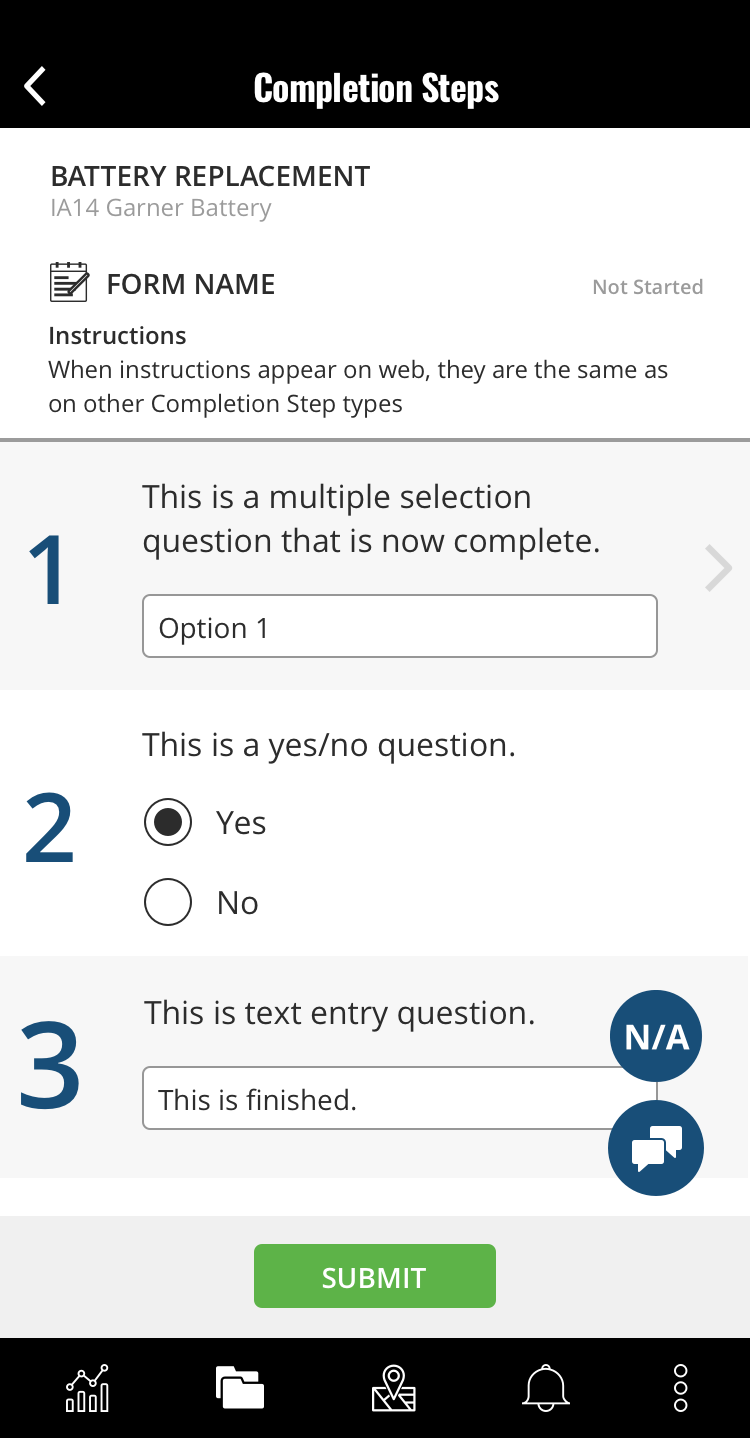
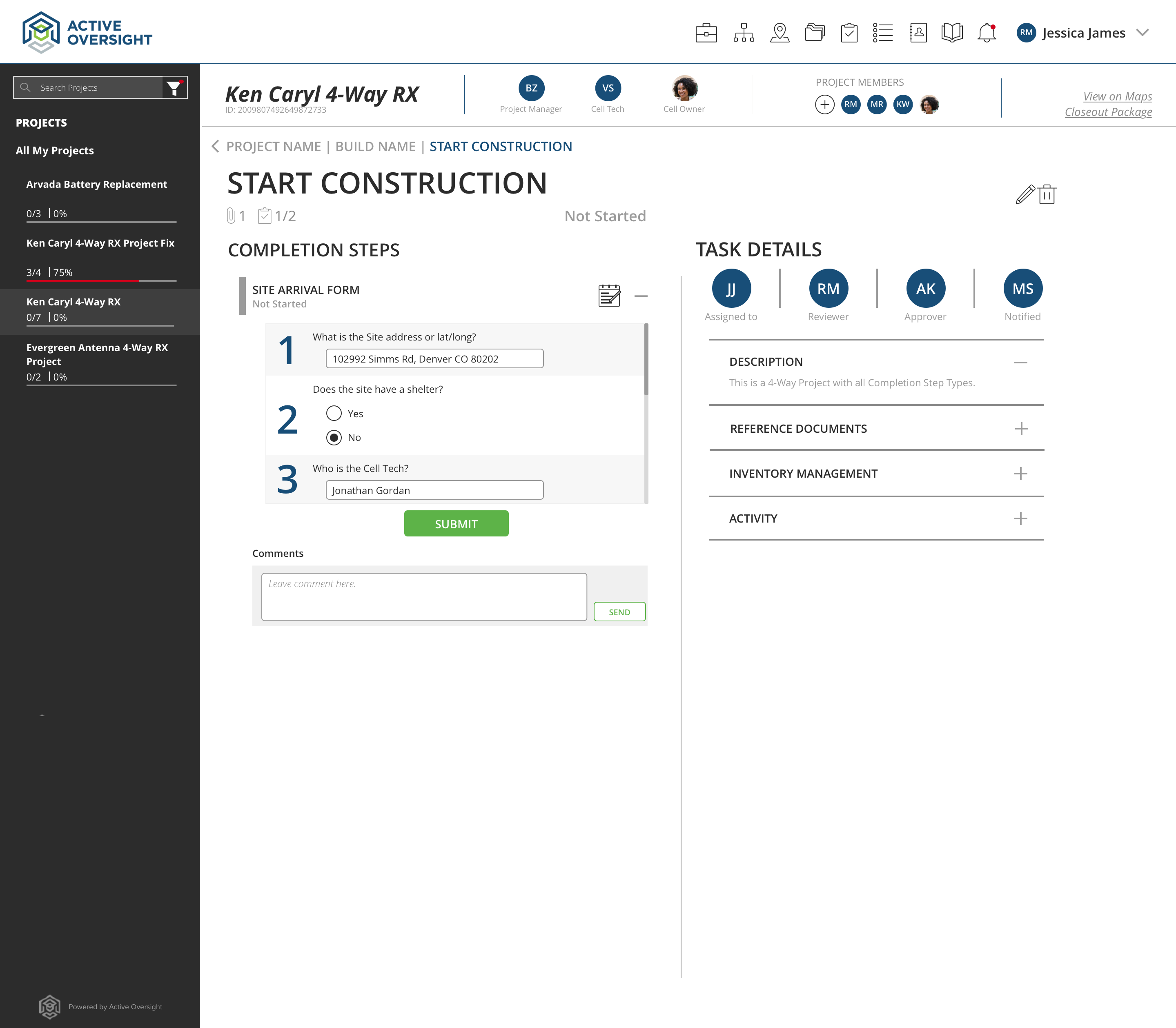
- Click on the Form Completion Step
- Fill out or answer each Field within that Form (*note: you may need to scroll within the Form Completion Step if there are numerous Fields added)
- Once everything has been completed in the form, click on the "Submit" button
View on Mobile: View on Web Application:
 .
. 
Check out our video:
Do you have additional questions? Contact us at activeoversight@finalze.zendesk.com.
Comments
0 comments
Please sign in to leave a comment.