
Multiple Task Assignments
March 2019
Overview
Let’s face it, there are multiple people on a crew, and more than one of them is doing the work. That’s why we’ve introduced “Multiple Assign.” This feature will allow internal Company Admins, Project Managers, and Build Owners to assign all the necessary project members as the “Assigned to” users on a task from a web or mobile device.
How to Assign Multiple People to a Task
Add Project Members to the project
- Navigate to the Project in Active Oversight using AO.finalze.com
- In the top header, select the + button
- Choose which company you wish to add users from and select "Update Assigned Members"

Assign multiple users to a task (Web)
- Navigate to the Task
- Select the edit pencil
- Under Task Details, choose the ASSIGNED TO dropdown and select the users you want to assign to the task
- Save changes
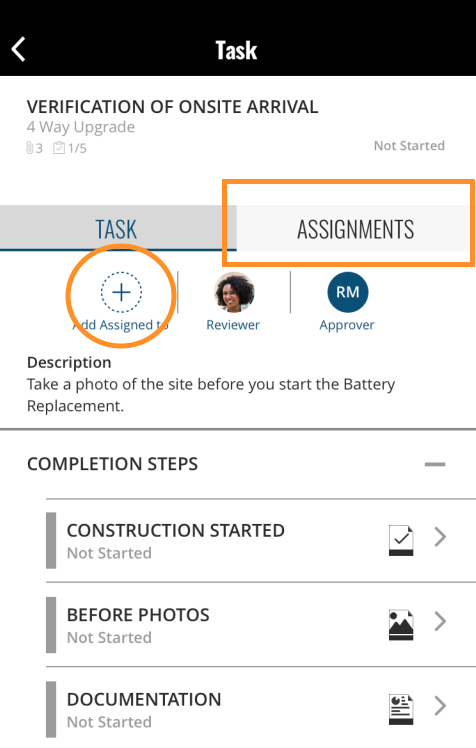
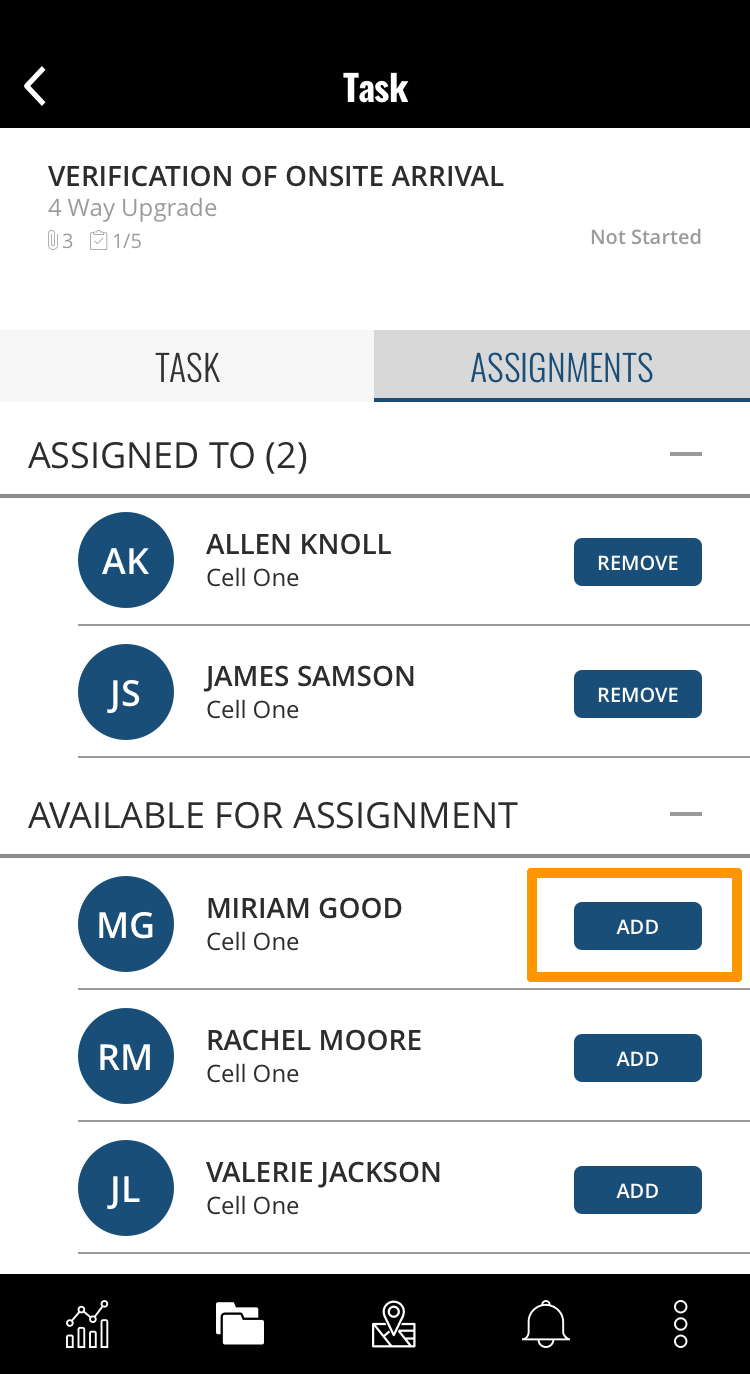
Assign multiple users to a task (Mobile)
- Navigate to the task
- Select the Assignments tab or click the +
- Add the users you want to be assigned to the task
Do you have additional questions? Contact us at activeoversight@finalze.zendesk.com.
Comments
0 comments
Please sign in to leave a comment.