
Active Oversight Release Announcement
1.34.0 | October 2, 2019
Overview:
We are excited to announce a great new feature to help you stay organized and up-to-date on what’s most important to you: Maps on Dashboard! In addition, we’ve also included some small enhancements and bug fixes that we know you’ll love!
What's New:
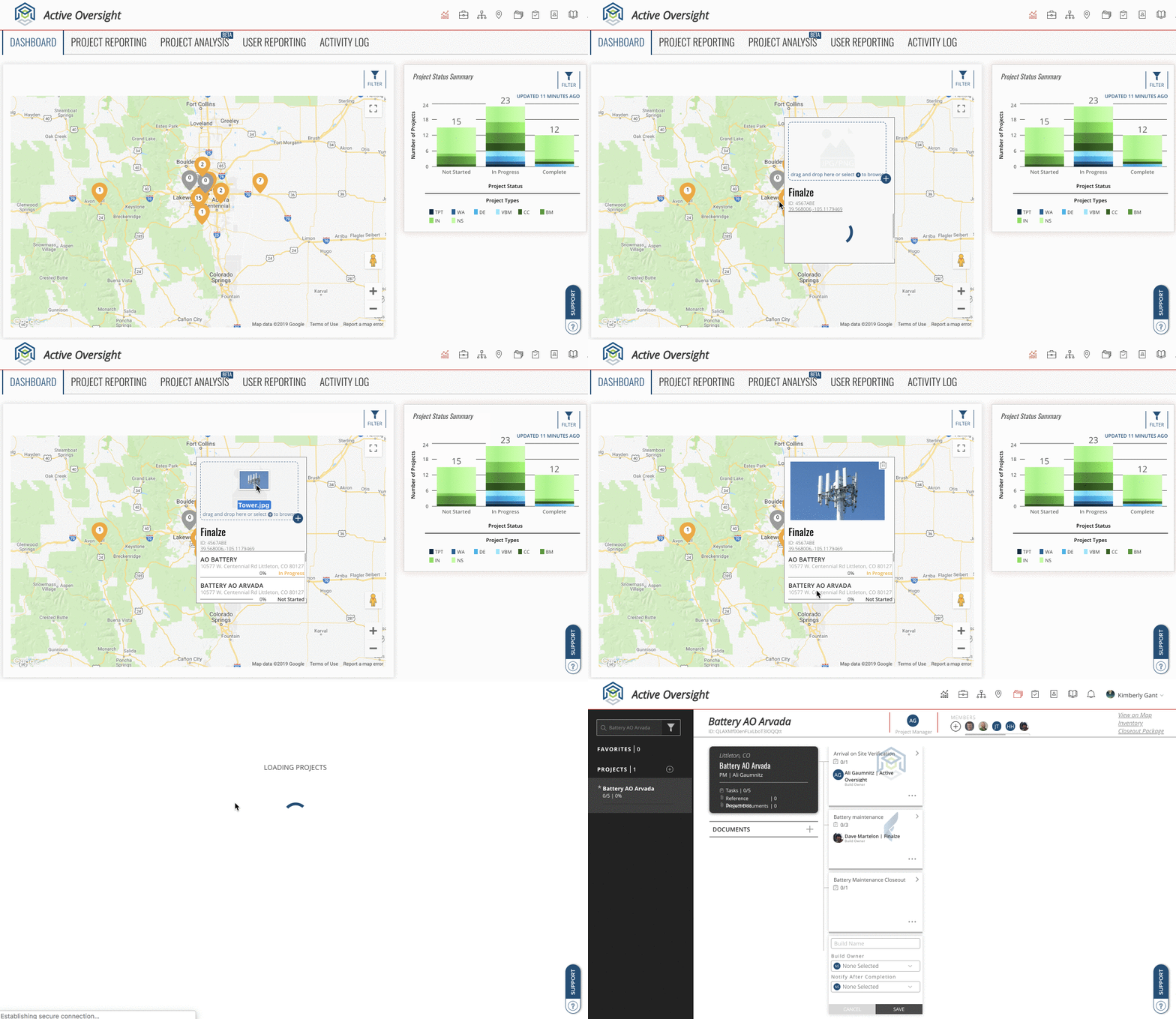
- Dashboard Map: We’ve added a new map element to the Dashboard on web that allows you to easily view all Location Sites and Projects based on Project Status. Oh, we also allow you to upload a Site photo!
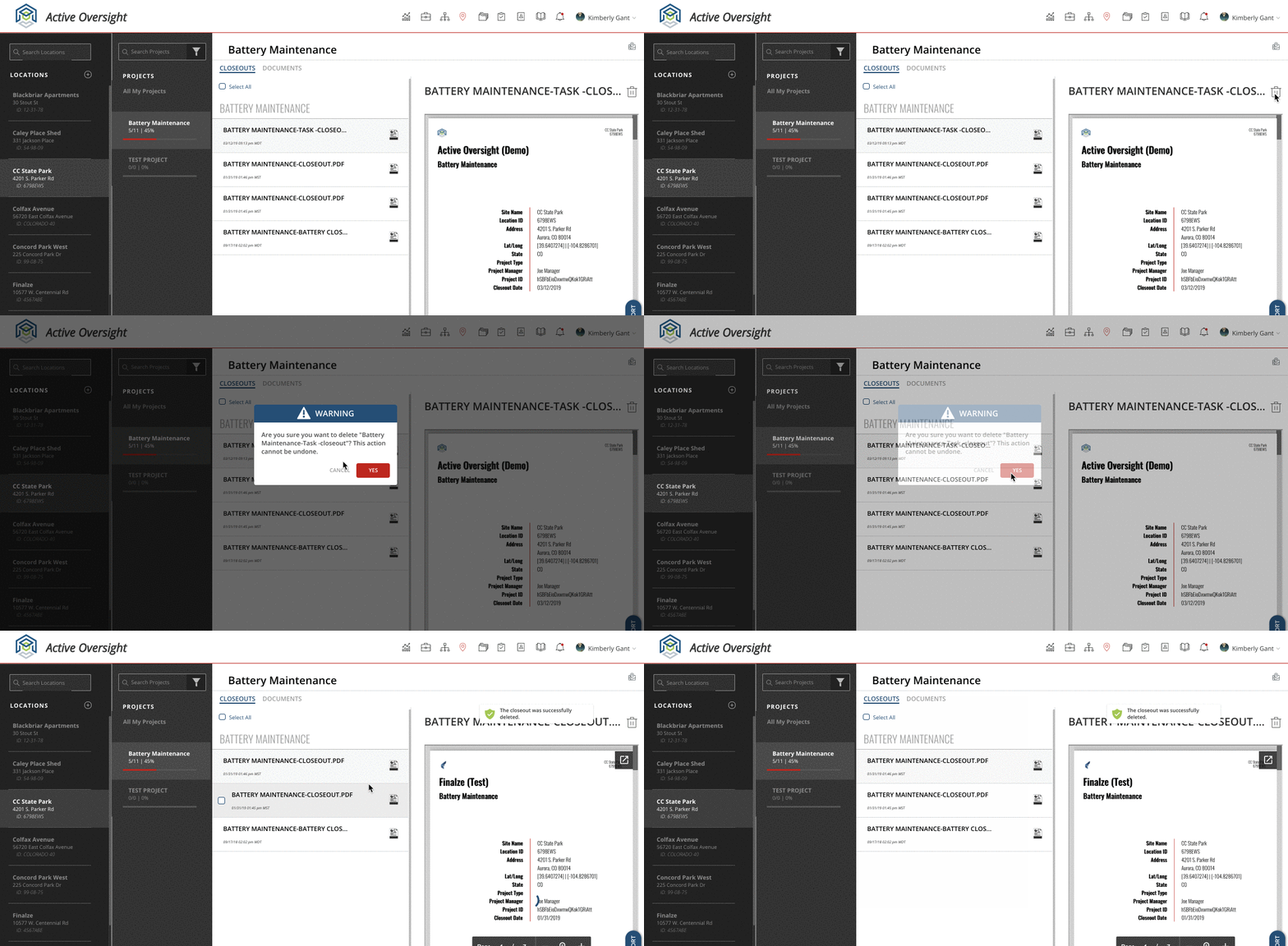
- Delete Unwanted Closeouts: Have you ever accidentally generated a Closeout that was not necessary? No need to have those unwanted Closeouts clutter your Plan of Record. We now allow Admin users to delete Closeouts.
- Project Status Filter: Filtering Projects just became a lot easier. You can now filter your Projects on Mobile and Web by Project Status!
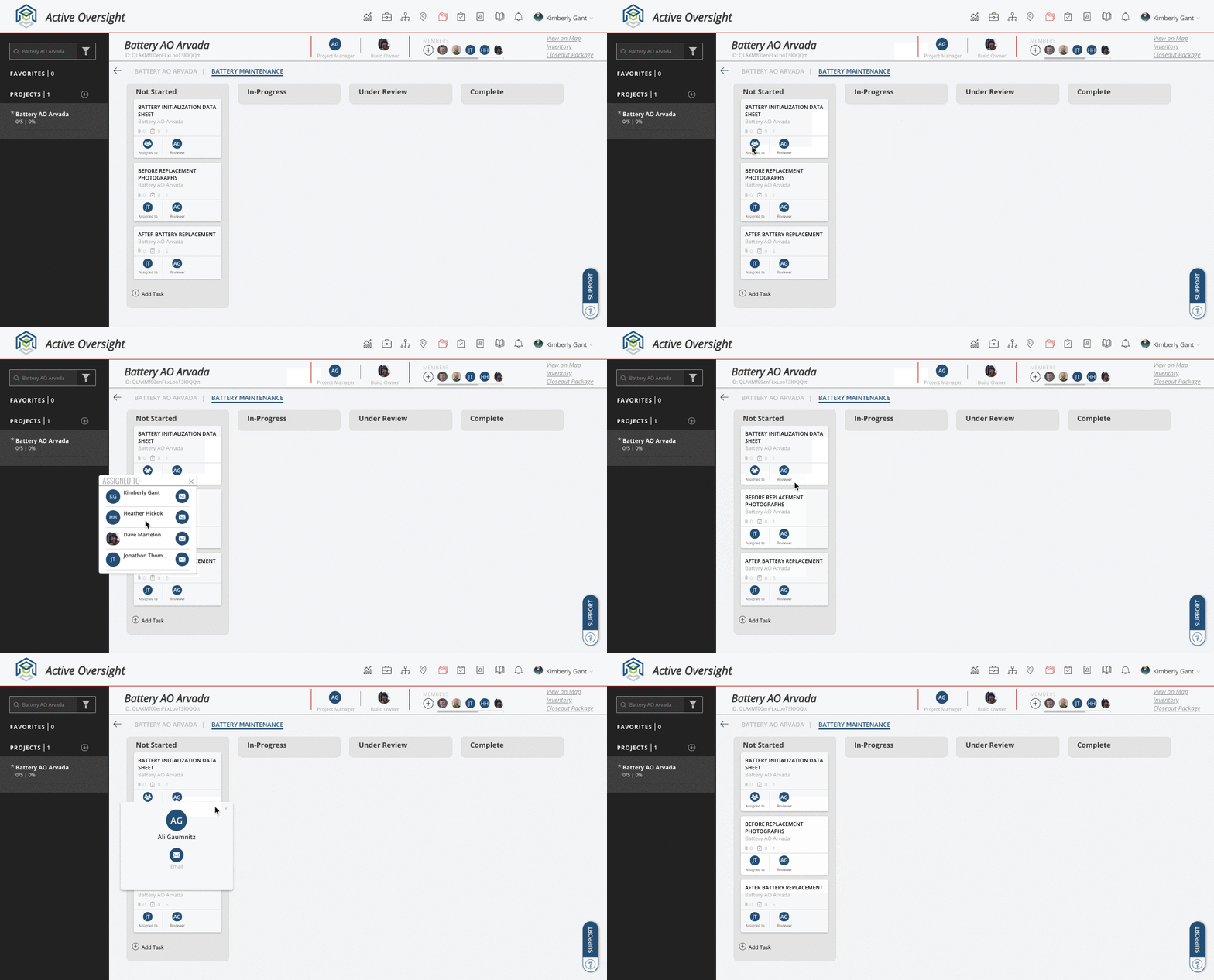
- View User Assignment Details from Task Card: On the website, you no longer need to click into a Task to view exactly who is assigned to it. Simply click on the circle avatar on the Task Card and view who exactly is assigned to your Task.
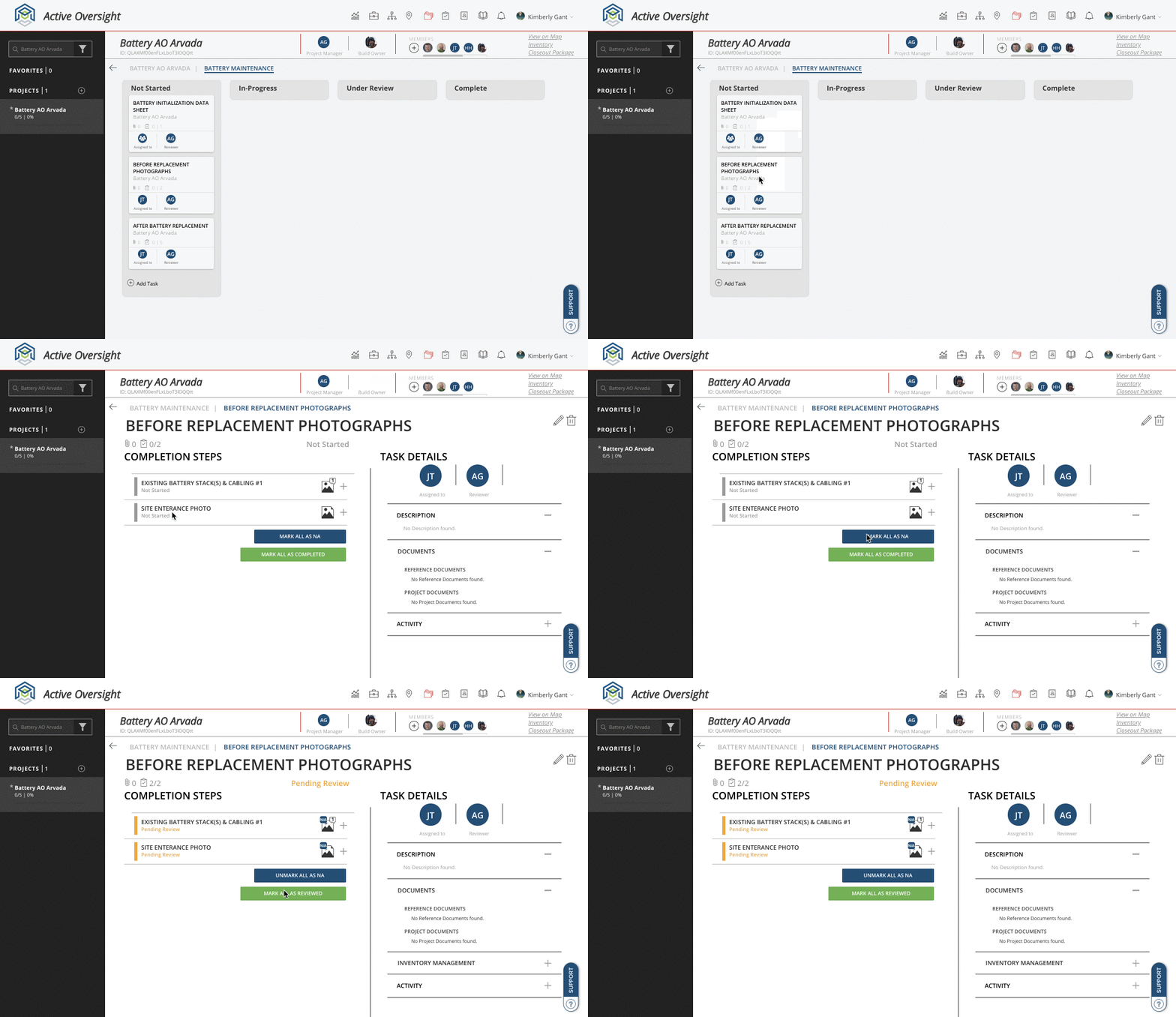
- N/A Improvements: You can now officially mark all Completion Step types as N/A and N/A an entire Task! Now, if you need to mark every Completion Step in a Task as not needed, you can save time by using our "Mark all as NA" option. Oh, and we also allow you to un-do your Task level N/A if you didn’t mean to.
- Scroll Through Photos on Web: We added the ability to scroll through photos on mobile in a previous release, and now you get to enjoy the same feature on web!
What We Improved:
- Add metadata labels to photos in the POR: We now show you metadata on photos when viewing them on the Documents tab in the Plan of Record.
- Order Of Project Reporting: We now sort your Projects in Project by percent completion.
- Lat/Long not captured for photos uploaded from web: We noticed that if you’ve uploaded a photo from your browser, we were not displaying the Lat/Long metadata of where that photo was actually taken. Now we do!
- Offline Mode Improvements: We added the ability for users to Approve and Reject while in Offline Mode.
- Photo Uploads When Offline: We’ve made some additional enhancements to the way we process your photo uploads when you’re offline.
What We Fixed:
- Product Documents for Vendors: If you are a Vendor you are now able to view all pertinent Project Documents through the Project icon.
- More than 8 Photos being uploaded: If you are super fast when uploading photos, you were able to bypass our limit of 8 photos. This was causing a whole bunch of other issues. We now prevent that from occurring.
- Closeout Inspection Photos: If your inspection had more than one photo associated with it, the Closeout was a jumbled mess. Well, it’s fixed now!
Other Stuff
- Performance Tweaks: We are still not done, but we took a deeper look into some items that we believe were giving our mobile users a less-than-ideal experience. You should now notice a big difference in overall loading speed when using our app!
Do you have feedback or notice something you’d like changed? Let us know by contacting product@active-oversight.io
Comments
0 comments
Please sign in to leave a comment.